Service-based business website conversion is the difference between a site that generates leads and one that just looks pretty. Your traffic numbers look decent, but the inquiry form sits empty, the phone stays quiet, and somehow your competitors with worse-looking sites are booking more work than you are.
If this sounds familiar, you’re dealing with a low conversion website—and you’re not alone. Most service-based business website conversion rates hover between 2% and 3% of visitors, while top performers are hitting 5% to 8% or higher. That gap isn’t about having a bigger budget or hiring a fancy agency—it’s about fixing specific, fixable problems that most business owners don’t even realize are costing them leads.
At Your Wish Digital, we’ve worked with short-term rental hosts, e-commerce startups, contractors, medical practices, law firms, and all kinds of small and mid-sized businesses across New Jersey. And here’s what we’ve learned: the biggest website conversion mistakes are rarely about “bad design.” They’re strategic issues hiding in plain sight.
Let’s fix that.
The conversion reality for service-based businesses
Before we jump into fixes, let’s talk about where your service-based business website conversion rate stands compared to the market.
Average service website conversion rates typically fall between 1% and 4% for primary actions like demo requests or lead submissions across most industries. Professional services and lead generation sites commonly see averages closer to 2% to 5%, depending on funnel complexity and audience quality.
Here’s why that matters: if you’re getting 500 visitors per month and converting at 2%, you’re generating roughly 10 leads. If you improve website conversion rate to 5%, that same traffic delivers 25 leads—without spending another dollar on ads or SEO.
The opportunity cost of ignoring service-based business website conversion problems is massive. And the good news? Most fixes don’t require a complete redesign.
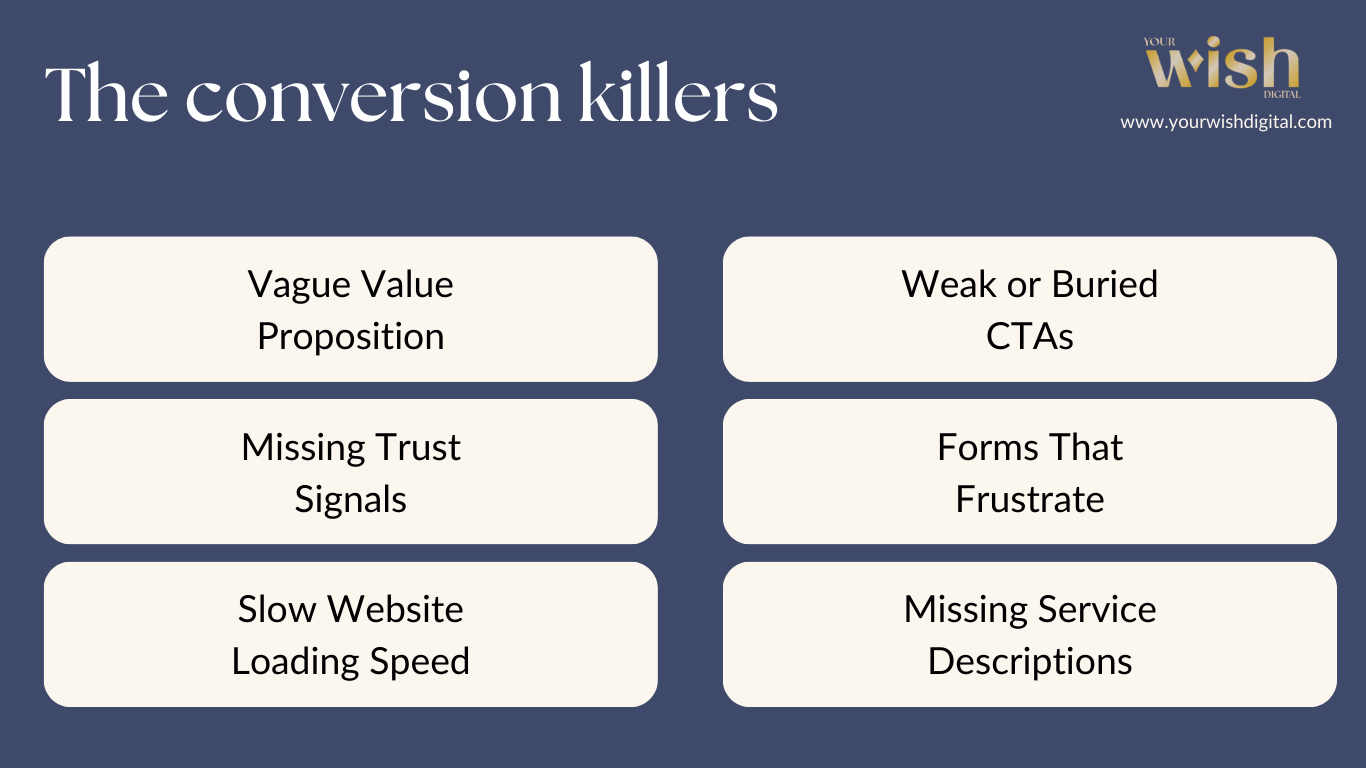
The 8 conversion killers (and how to actually fix them)
These are the issues that show up again and again when we audit low conversion websites for service-based businesses. If any of these website conversion mistakes sound familiar, you’ve found your starting point.
1. Vague value proposition (the 5-second rule failure)
The problem: Someone lands on your homepage and can’t quickly figure out what you do, who you serve, or why my website doesn’t convert leads.
Generic headlines like “Professional Services” or “Quality Solutions” could apply to literally anyone. If a visitor can’t understand your offer in five seconds, they’re gone.
The fix: Replace vague statements with specific, outcome-focused messaging that passes the stranger test.
Real examples:
- Instead of “Professional HVAC Services” → “Same-Day AC Repair for Morris County Homeowners”
- Instead of “Comprehensive Legal Representation” → “Estate Planning for New Jersey Families Who Want Control”
- Instead of “Quality Medical Care” → “Family Medicine Practice Accepting New Patients—Book This Week”
Your headline should immediately answer two questions: “What do you do?” and “Is this for me?”
2. Weak or buried calls-to-action (CTAs)
The problem: Your CTAs use generic language like “Submit” or “Click Here,” or they’re hidden at the bottom of pages where nobody scrolls.
Research shows people scan websites rather than read them, so if your CTA doesn’t jump out visually and communicate a clear benefit, it’s essentially invisible. This is one of the most common website conversion mistakes that kills service-based business website conversion.
The fix: Make CTAs specific, benefit-driven, and impossible to miss.
Better CTA examples:
- Bad: “Submit” → Good: “Get My Free Quote”
- Bad: “Learn More” → Good: “Book Your Free Consultation”
- Bad: “Contact Us” → Good: “Schedule Your Estimate Today”
Place CTAs above the fold, after service descriptions, and near proof elements like testimonials or reviews. Use contrasting button colors that stand out from your site’s color scheme.
3. Missing or poorly placed trust signals
The problem: Visitors can’t quickly assess your credibility because testimonials are buried on separate pages, credentials are tucked in footers, and professional photos are relegated to an “About Us” page nobody visits.
Trust signals can increase conversion rates by as much as 20%, and 81% of consumers research businesses online before making decisions. When trust elements are missing or hard to find, your service-based business website conversion suffers, and visitors just leave.
The fix: Place proof where decisions actually happen—right next to your CTAs.
Strategic trust signal placement:
- Customer testimonials on homepage and service pages (not just buried in a testimonials archive)
- Professional credentials near contact forms
- Years in business and projects completed prominently displayed on the homepage
- Real team photos—not the same generic stock images that appear on five competitor sites
- Licensing, insurance, and certifications visible without hunting through footers
For service-based businesses, trust is currency. Make it ridiculously easy for visitors to verify you’re the real deal.
4. Forms that frustrate (or don’t work at all)
The problem: Contact forms with too many fields, confusing validation errors, or—absolute worst case—forms that silently fail and never actually send.
Even small friction points like requiring account creation or asking for unnecessary information can kill conversions before they happen. This is a major reason why my website doesn’t convert leads.
The fix: Simplify forms to essential fields only, test them weekly, and remove unnecessary barriers.
Best practices for service-based business website conversion forms:
- Keep it to 3–5 fields maximum (Name, Email, Phone, Service Interest, Brief Message)
- Show clear, helpful error messages when validation fails
- Don’t require account creation for contact or quote requests
- Test forms on mobile—over half of web traffic is mobile
- Add a confirmation message or redirect after submission so users know it actually worked
If your form requires 10 fields before someone can request a quote, you’re losing leads to competitors who ask for three.
5. Slow loading speed (especially on mobile)
The problem: More than half of global web traffic comes from mobile devices, and if your site isn’t fast on phones, you’re actively losing conversions.
A slow-loading website fails to convert because visitors simply won’t wait. This significantly impacts conversion rates, especially when visitors are searching on-the-go for urgent services like plumbing emergencies, legal consultations, or medical appointments.
The fix: Optimize your site’s speed by addressing common performance killers.
Quick wins to improve website conversion rate:
- Compress images before uploading (huge uncompressed images are the #1 slowdown)
- Use a content delivery network (CDN) for faster asset loading
- Minimize unnecessary plugins and scripts
- Test your site speed on mobile using Google PageSpeed Insights
- Prioritize thumb-friendly CTA placement and minimize pop-ups on small screens
A fast, responsive website enhances user experience and keeps visitors engaged long enough to actually convert.
6. No clear next step (or too many competing options)
The problem: Your homepage offers five different CTAs, seven navigation options, and three ways to contact you—but no clear priority.
When visitors face too many choices, they freeze and leave. This is called “decision paralysis,” and it’s especially common on service-based business websites trying to serve multiple audiences at once. This website conversion mistake is easily fixable.
The fix: Prioritize one primary action per page, with secondary options available but not competing for attention.
For service-based businesses, the primary CTA is usually:
- Request a quote or estimate
- Book a consultation
- Schedule an appointment
- Call now (for urgent services)
Make that action the hero. Everything else—like “Read our blog” or “Follow us on social media”—should be supporting elements, not equal-weight choices competing for attention.
7. Generic or missing service descriptions
The problem: Service pages use vague descriptions like “comprehensive solutions” or “full-service provider” that could apply to literally any business in your industry.
Visitors can’t determine if you solve their specific problem, so they keep shopping around. This is a critical service website conversion rate killer.
The fix: Use specific service descriptions that address exact customer needs and outcomes.
Real examples:
- Instead of “Home Services” → “Basement Waterproofing, Foundation Repair, and Mold Remediation for North Jersey Homes”
- Instead of “Business Consulting” → “Profit Optimization and Process Improvement for Mid-Sized Manufacturing Companies”
- Instead of “Legal Services” → “Estate Planning, Wills, and Trusts for New Jersey Families Protecting Generational Wealth”
The more specific you are, the easier it is for the right visitors to self-identify and convert, directly improving your service-based business website conversion.
8. Poor mobile experience (beyond just speed)
The problem: Your site technically “works” on mobile, but the experience is clunky—tiny buttons, forms that require zooming, navigation that’s buried, or CTAs pushed below the fold on small screens.
With mobile accounting for over half of traffic, a poor mobile UX directly kills service-based business website conversion.
The fix: Test your site on actual phones (not just desktop responsive preview) and optimize for thumb-friendly interaction.
Mobile conversion checklist:
- CTAs big enough to tap easily (minimum 44×44 pixels)
- Phone numbers clickable with tap-to-call functionality
- Forms auto-fill friendly and easy to complete without zooming
- Navigation simple and not hidden behind vague hamburger icons
- Page content prioritized with most important info at the top
If your mobile experience feels like an afterthought, your conversion rate will absolutely reflect that.
Service-based business website conversion optimization by industry
Different industries don’t need completely different rules for conversion rate optimization service business, but they do need tailored approaches to trust, proof, and friction. Here’s how to apply conversion best practices across the business types we work with most in New Jersey.
Short-term rentals (Airbnb hosts, vacation rentals)
The booking friction points:
- Unclear availability (visitors can’t tell if dates are open)
- Missing trust signals (no reviews, no host verification, generic photos)
- Complicated booking process (too many steps, unclear pricing)
- Buried property details (visitors can’t quickly find amenities, location, house rules)
Conversion fixes that work:
- Show real-time availability calendar above the fold
- Display verified reviews from past guests prominently (pull from Airbnb, VRBO, or direct bookings)
- Use high-quality, authentic photos of the actual property—not staged stock images
- Create clear, scannable sections: Location → Amenities → House Rules → Pricing → Reviews
- Add instant booking CTA with transparent pricing (no hidden fees surprise at checkout)
- Include local attraction photos and maps to help visitors visualize the experience
- Offer click-to-text or WhatsApp for quick questions (especially for last-minute bookings)
Trust builders specific to NJ short-term rentals:
- Mention proximity to NYC, Jersey Shore, Six Flags, or other regional draws
- Highlight parking availability (huge concern for NJ visitors)
- Clarify pet policy, family-friendly features, or business traveler amenities
- Show Superhost badges, licensing/permits, or property management credentials
E-commerce startups (online stores, DTC brands)
The cart abandonment culprits:
- Unexpected shipping costs at checkout (leading cause of cart abandonment)
- Complicated checkout process requiring account creation
- Missing product details or unclear sizing and specs
- Lack of trust signals (no reviews, unclear return policy, sketchy payment icons)
- Slow site speed on mobile (over 50% of e-commerce traffic is mobile)
Conversion fixes that work:
- Display shipping costs early—ideally on product pages, not just at checkout
- Offer guest checkout and don’t force account creation
- Add trust badges near checkout (secure payment icons, money-back guarantee, return policy link)
- Include customer reviews on every product page, not just testimonials on homepage
- Optimize product images for mobile (zoomable, fast-loading, multiple angles)
- Show stock levels to create urgency (“Only 3 left in stock”)
- Simplify checkout to 1–2 pages maximum
- Add live chat or chatbot for pre-purchase questions
E-commerce startup mistakes to avoid:
- Using generic product descriptions copied straight from manufacturers
- Hiding return policy or making it hard to find
- Not offering multiple payment options (credit card, PayPal, Apple Pay, etc.)
- Ignoring mobile UX (small buttons, hard-to-tap CTAs, slow load times)
Small and mid-sized businesses (general NJ services)
The lead generation problems:
- Generic “we serve everyone” messaging that doesn’t resonate with anyone
- No clear differentiation from competitors
- Missing local NJ signals (no address, generic stock photos, vague service areas)
- Weak proof (no case studies, outdated testimonials, no recognizable clients)
Conversion fixes that work:
- Add geographic specificity to headlines: “Serving Morris County Small Businesses Since 2015”
- Show recognizable NJ client logos or testimonials from local businesses
- Include physical address and local phone number (not a generic toll-free number) to build trust
- Create service-area-specific landing pages (e.g., “Accounting Services for Bergen County Contractors”)
- Add “Featured in” media badges if you’ve been covered by local NJ publications
- Use real team photos at recognizable NJ locations — not generic office stock images
- Highlight industry-specific experience: “We’ve helped 40+ NJ medical practices reduce overhead”
Industry-specific tweaks for NJ SMBs:
- B2B services: Add case studies with measurable outcomes (ROI, time saved, revenue growth)
- Professional services: Emphasize credentials, certifications, and years serving the NJ market
- Retail and brick-and-mortar: Show store photos, hours, parking info, and “visit us” CTAs
- Franchise or multi-location: Create location-specific pages (don’t just list addresses in footer)
Contractors and home services
Address concerns upfront:
- Cleanup and protection processes (homeowners worry about mess)
- Timeline and disruption expectations (how long will my kitchen be unusable?)
- Licensing, insurance, and bonding status (prove you’re legit)
- Warranty and guarantee terms (what happens if something goes wrong?)
Showcase transformation:
- Before/after photo galleries from real NJ projects
- Video testimonials from local clients with town or county mentions
- Detailed project case studies with timelines and budgets
- Service area map showing coverage (North Jersey, Central Jersey, Shore, etc.)
Medical and wellness practices
Emphasize credentials:
- Education, certifications, and specializations
- Years of experience and patient volume
- Professional association memberships
- Awards and recognition
Address practical concerns:
- Insurance acceptance (especially dominant NJ carriers: Horizon BCBS, Aetna, United Healthcare)
- Appointment availability (are you accepting new patients?)
- Office location, parking, and accessibility (critical in NJ where parking is often a barrier)
- New patient onboarding process (what to expect at the first visit)
- Telehealth options (became essential post-2020)
Law firms and professional services
Showcase expertise:
- Practice area focus (not “we do everything”)
- Case results or client outcomes (where ethically appropriate)
- Attorney bios highlighting relevant NJ jurisdictions and court experience
- Clear process explanations (what happens after I contact you?)
Reduce friction:
- Offer free consultations prominently
- Use intake forms that feel simple, not interrogative
- Explain confidentiality and what information you need upfront
- Add click-to-call buttons for urgent matters (criminal defense, personal injury, family law)
How to audit your service-based business website conversion
Run through this checklist monthly to catch website conversion mistakes before they cost you leads:
Homepage audit:
- Can a stranger understand what you do in 5 seconds?
- Is there one clear, benefit-driven CTA above the fold?
- Are trust signals (reviews, credentials, years in business) visible immediately?
Service pages audit:
- Do service descriptions address specific problems (not generic capabilities)?
- Is there a CTA on every service page?
- Are testimonials or proof elements placed near the CTA?
Forms and conversion paths audit:
- Test every form on desktop and mobile—does it actually work?
- Are form fields limited to essentials only?
- Do phone numbers click-to-call on mobile?
- Is there a clear confirmation after form submission?
Mobile experience audit:
- Test site on actual phone (not just responsive preview mode)
- Are CTAs thumb-friendly and above the fold?
- Does the site load in under 3 seconds on mobile?
- Is navigation easy to use without frustration?
Trust and credibility audit:
- Are team photos real (not stock images)?
- Are testimonials recent and specific?
- Are credentials and licenses clearly displayed?
- Is there a physical address and local phone number visible?
What to fix first (prioritize by impact)
If your service-based business website conversion rate is low and you’re trying to decide where to start, prioritize changes that affect high-traffic pages with the biggest drop-offs.
Start here to improve website conversion rate:
- Homepage CTA and messaging (most traffic lands here first)
- Contact form testing (if it’s broken, nothing else matters)
- Mobile speed and UX (over 50% of your traffic)
- Trust signal placement (moves visitors from “maybe” to “yes”)
- Service page specificity (helps visitors self-qualify faster)
Small, incremental improvements compound over time. You don’t need a full redesign—you just need to fix the leaks in your funnel.
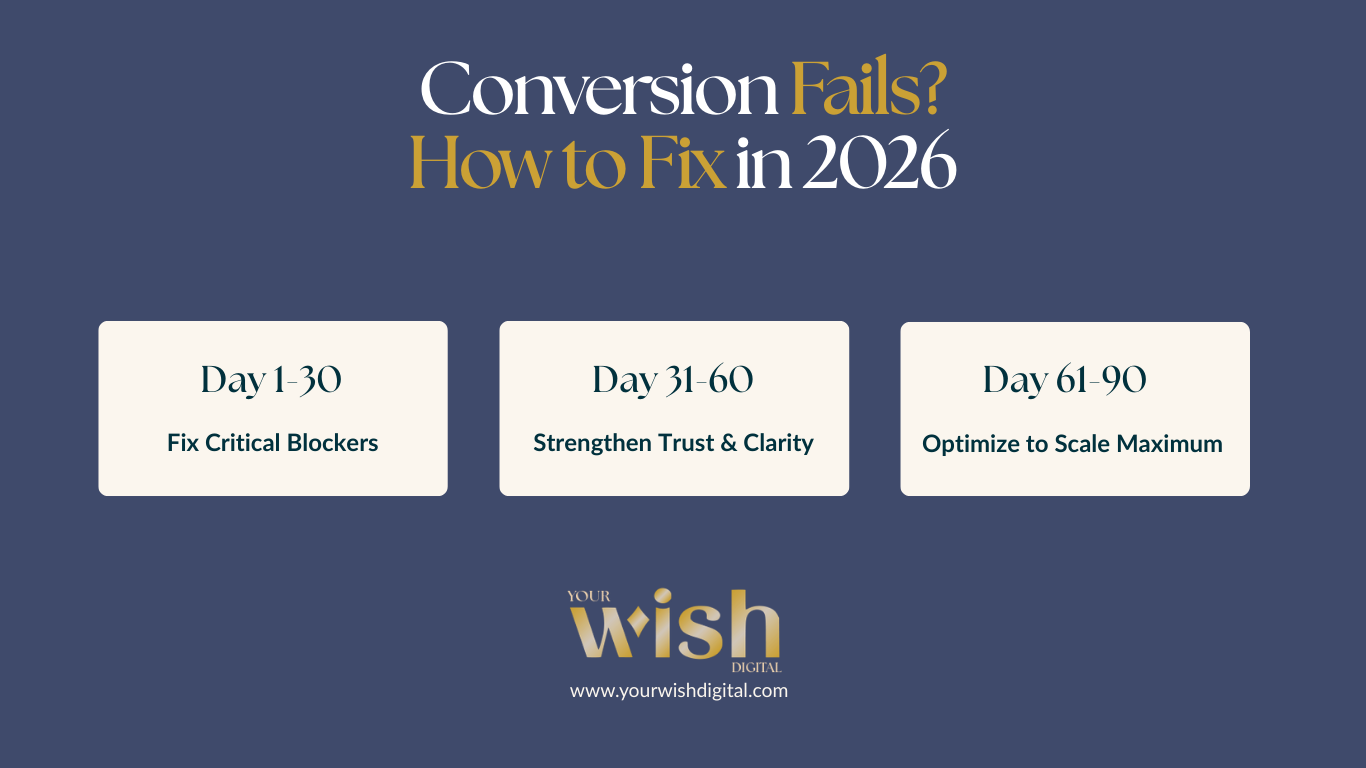
Your conversion rate optimization roadmap (30–60–90 days)
If you want a realistic plan for moving your low conversion website to a high-performing lead generator, break it into phases.
First 30 days: Fix the critical blockers
- Test and repair all forms (desktop and mobile)
- Audit mobile speed using Google PageSpeed Insights
- Rewrite homepage headline to pass the 5-second test
- Add one strong CTA above the fold on homepage
- Place 2–3 testimonials on homepage near CTA
Days 30–60: Strengthen trust and clarity
- Add trust signals to service pages (credentials, licensing, reviews)
- Rewrite vague service descriptions with specific outcomes
- Add before/after galleries or case studies (if applicable)
- Optimize forms (reduce fields, improve error handling)
- Set up basic conversion tracking in Google Analytics
Days 60–90: Optimize and scale
- A/B test CTA button text and placement
- Add click-to-call phone numbers throughout site (mobile)
- Create service-specific landing pages for paid ads
- Implement exit-intent offers (free guide, consultation, etc.)
- Review heatmaps or session recordings to find friction points
This phased approach for service business website conversion optimization keeps momentum going without requiring a full site overhaul.
FAQ
What is service-based business website conversion?
Service-based business website conversion is the percentage of website visitors who complete a desired action—like requesting a quote, booking a consultation, or calling your business. For most service businesses, conversion rates range from 2% to 5%, with top performers hitting 5% to 8% or higher.
Why is my service website conversion rate so low?
Common causes include vague messaging, weak CTAs, missing trust signals, slow mobile speed, broken forms, or too many competing options. Most low conversion website issues are fixable without a complete redesign.
How can I improve website conversion rate without hiring a developer?
Start with messaging—rewrite your headline and CTA, add testimonials near conversion points, test your forms, and optimize for mobile. These changes often require only content edits, not code.
What are the most common website conversion mistakes?
The most common website conversion mistakes include buried CTAs, vague value propositions, missing trust signals, forms with too many fields, slow mobile loading speeds, and generic service descriptions that don’t address specific customer needs.
Why my website doesn’t convert leads even with good traffic?
If you’re asking why my website doesn’t convert leads, the issue is usually strategic, not traffic-related. Common problems include unclear messaging, weak calls-to-action, poor mobile experience, missing trust signals, or forms that don’t work properly.
Do service businesses need different conversion strategies than e-commerce?
Yes. Service businesses rely more heavily on trust signals, clear next steps, and reducing perceived risk (since the “purchase” is often high-ticket and involves personal interaction). E-commerce focuses more on cart optimization and urgency.
What is conversion rate optimization for service businesses?
Conversion rate optimization service business involves systematically improving website elements—messaging, CTAs, forms, trust signals, and user experience—to increase the percentage of visitors who become leads. It focuses on removing friction and building trust rather than just driving more traffic.
Bottom line: If your service-based business website conversion rate isn’t where it needs to be, it’s not because you need a complete redesign or a massive budget. It’s usually because a handful of fixable website conversion mistakes are quietly killing your leads. Start with the checklist above, prioritize the biggest leaks, and watch your service website conversion rate climb.
Need help auditing your service-based business website conversion issues or fixing what’s costing you leads? That’s exactly what we do at Your Wish Digital. Reach out and let’s figure out what’s holding your site back.