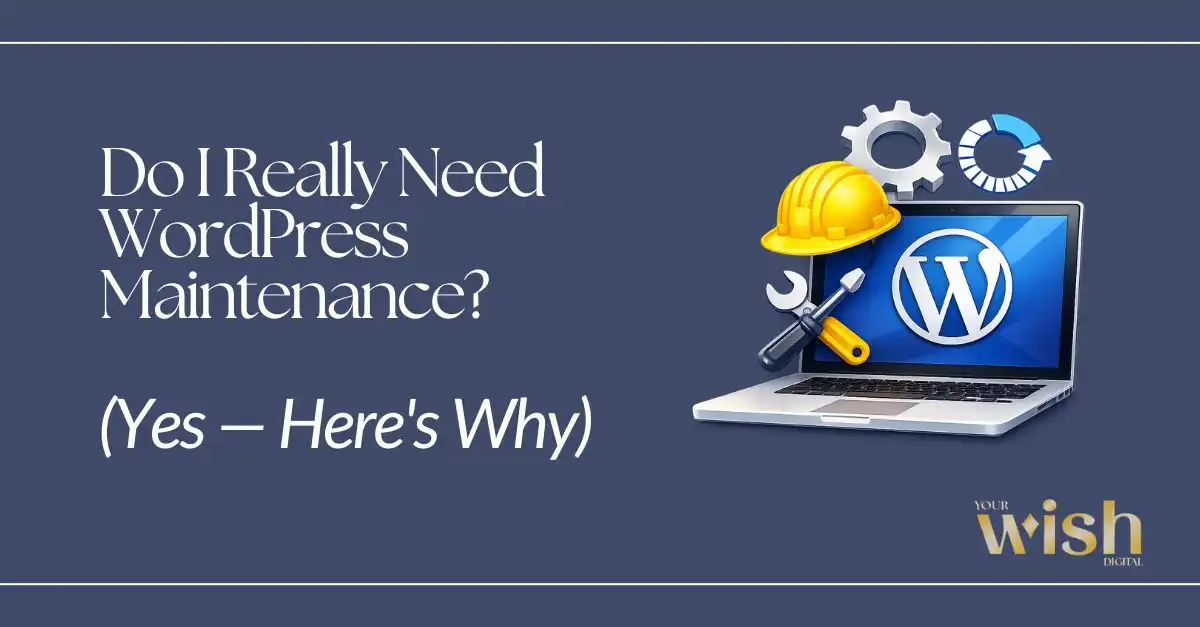
The honest answer nobody gives you upfront
Short answer: yes. But let me explain it the way I’d explain it to a client over coffee — not the way a hosting company pitches you an upsell.
If you have a WordPress website, WordPress maintenance isn’t optional. It just feels optional — until something breaks. And trust me, something will eventually break.
“My Site is Working Fine Right Now”
That’s the most common thing I hear. And I get it completely.
You paid for the website. It’s live. It looks good. So why would you spend money on it every month when nothing seems wrong?
Here’s the thing — WordPress is not a “build it and forget it” platform. It’s a living system made up of:
- A core WordPress installation that releases regular security and feature updates
- A theme built by a third-party developer (also updated on their own schedule)
- Plugins — sometimes 10, 15, even 20+ of them — each from different developers
- A database that grows, fragments, and slows down over time
- An SSL certificate that expires if no one’s watching it
All of these moving parts need to stay in sync. When they don’t? Things break. Sometimes quietly. Sometimes in a way that costs you real money.
The site that “works fine right now” is often one ignored update away from a white screen of death, a broken checkout form, or a Google security warning scaring your visitors away.
Real Things That Happen to Unmaintained WordPress Sites
These aren’t hypothetical horror stories. These are the kinds of situations I run into regularly.
The Plugin Conflict Nobody Caught
A WooCommerce update drops. The payment plugin it relies on wasn’t tested against the new version. Checkout breaks. You don’t find out until a customer emails asking why their order didn’t go through — and you have no idea how many others just left silently. WooCommerce has a strict compatibility policy that most store owners never read.
The Hack That Ran for Weeks
One of the more uncomfortable conversations I’ve had: a client’s site had been compromised for nearly a month. Malware was quietly injected into their pages. Google had deindexed several URLs. They found out when someone searched for them and got a “this site may be harmful” warning. The Google Search Console Security Issues report is often the first place these warnings appear. The SEO recovery alone took months.
The SSL Certificate That Expired
No one renewed it. Browsers started showing “Not Secure” warnings across the site. Visitors bounced. The business owner thought traffic had just dropped organically. It hadn’t — they were being actively warned away. Google has confirmed HTTPS as a ranking signal since 2014.
The Update That Broke the Layout
Core WordPress released an update. The theme hadn’t been touched in two years. The combination caused the mobile layout to completely collapse — buttons missing, sections stacked wrong, text overlapping images. They found out from a family member, not a client alert. WordPress release notes always list breaking changes — but only if someone’s reading them.
The Backup That Didn’t Exist
Hosting issue. Site went down. Restore from backup? There wasn’t one. The site had to be rebuilt almost from scratch. Weeks of work, gone. WordPress itself recommends keeping at least three recent backups stored off-server.
In almost every single one of these cases, routine WordPress maintenance would have prevented it entirely.
What WordPress Maintenance Actually Covers
Maintenance isn’t just “clicking update once a month and hoping for the best.” Done properly, it’s a system that keeps your site secure, stable, fast, and actually working — consistently, not just when you think to check.
Here’s what real WordPress site maintenance includes:
Plugin, Theme & Core Updates
Every update that’s skipped is a potential security gap left open. Keeping everything current isn’t just about features — it’s how vulnerabilities get patched before hackers can exploit them.
Security & Malware Scanning
Active, continuous monitoring for threats — not a scan you run when something already looks wrong. Proactive detection before it becomes a real problem.
SSL Certificate Management
Your HTTPS encryption doesn’t manage itself. SSL certificates expire. Proper maintenance includes active renewal so your site never flips to “Not Secure” without warning.
Database Optimization
Over time, your WordPress database collects leftover data from deleted plugins, old post revisions, spam comments, and cached files. This bloat slows your site down gradually — cleaning it regularly keeps performance sharp.
Uptime & Speed Monitoring
If your site goes down at 2am, you want to know about it from a monitoring alert — not from a client the next morning. Speed checks catch degradation before users start bouncing.
Regular Backups (That Are Actually Tested)
A backup you’ve never tested isn’t really a backup. It’s a hope. Proper backups are scheduled, stored securely off-site, and verified to actually work when you need them.
Monthly Performance Reports
You should always know what was done, what was updated, and how your site is performing — not just assume everything is fine because nothing crashed.
“Can’t I Just Handle This Myself?”
Technically, some of it. Practically? Most business owners don’t — not because they don’t care, but because they’re running an actual business.
The ones who try to DIY it usually fall into one of two patterns:
- They batch update everything at once without testing — and something breaks in a way they don’t know how to fix
- They keep meaning to do it but push it back week after week until six months have gone by
There’s also a real skill gap. Knowing which plugin updates are safe to run together, how to handle a core update on a heavily customized site, how to clean an infected database, how to properly configure offsite backups — that’s not something you pick up in a Saturday afternoon.
Maintenance done wrong can cause more damage than maintenance delayed.
What Ignoring Maintenance Is Actually Costing You
Let’s be direct about numbers.
A hacked WordPress site costs anywhere from a few hundred to several thousand dollars to clean — depending on how long it ran, how deep the injection went, and whether backups exist. If Google deindexed your pages in the meantime, the SEO recovery adds months of work on top.
An emergency rebuild with no backup? That’s starting from scratch. Developer time, content recreation, downtime, lost leads. Easily $1,000–$5,000+ depending on the site’s complexity.
A developer called in for emergency weekend support is paying crisis rates — often 2–3x normal hourly fees — for something that a $75/month plan would have prevented.
Maintenance isn’t a cost. It’s the cheaper option, by a wide margin.
The WordPress Maintenance Plans at Your Wish Digital
I handle WordPress maintenance personally. Not through an automated ticket system, not outsourced. When something needs attention on your site, I’m the one actually looking at it.
Here’s what I offer:
Tier 1 — Core WordPress Maintenance Plan · $75/month
Essential WordPress Maintenance for Small Businesses
This is the baseline every WordPress site should have. It covers everything your site needs to stay secure, stable, and online:
✅ Plugin & Theme Updates — secure, stable, running smoothly
✅ Security & Malware Scans — continuous threat monitoring
✅ SSL Certificate Management — active HTTPS with annual renewal
✅ Database Optimization — removes bloat from deleted plugins and content
✅ Uptime & Speed Testing — stays fast and responsive
✅ Monthly Performance Report — clear summary of all maintenance activity
✅ Monthly Website Backups — full site backed up with quick recovery
✅ Up to 1 Hour/Month — content updates, image uploads, minor edits within 72 hours
Best for: Small business sites that need solid protection without the extras.
Tier 2 — Essential WordPress Maintenance Plan · $149/month
Advanced WordPress Maintenance & Support for Growing Businesses
Everything in Core, plus:
✅ Broken Link Fixes — repair missing pages and images
✅ Analytics Setup & Monthly Report — understand your site’s actual performance
✅ UX & Conversion Audit (Yearly) — identify friction hurting your leads
✅ 2 Hours of Monthly Support — content updates and adjustments
✅ 48-Hour Turnaround on Requests
Best for: Businesses actively using their site to generate leads and need deeper visibility into what’s working.
Tier 3 — Elite WordPress Maintenance & Ongoing Support Plan · $249/month
Fully Managed WordPress Care for Established & E-Commerce Businesses
Everything in Essential, plus:
✅ Daily Backups — extra protection against data loss
✅ Email Help & Technical Support
✅ Google Search Console Optimization — up to 4 SEO fixes per month
✅ Quarterly UX & Conversion Audit
✅ Accessibility Review
✅ 4 Hours of Monthly Support — hands-on expert help
✅ Next-Day Priority Service — within 24 hours
Best for: E-commerce sites and established businesses where downtime or performance issues have a direct, immediate revenue impact.
Not Ready for a Monthly Plan? Start Here.
One-Time WordPress Cleanup & Optimization · $299
If your site is slow, broken, or hasn’t been touched in a while — this is the right first move. In one focused session, I’ll handle:
- Database health check & cleanup
- Core WordPress, theme & plugin updates
- Site speed optimization review
- ADA accessibility review & recommendations
- Multi-device responsiveness check
- Comprehensive cleanup & performance report
And if you decide to move to a monthly plan after the cleanup, you get a 10% discount on whichever maintenance package you choose.
Not sure which plan is right for your site? The Website Growth Diagnostic ($500) gives you a full breakdown — UX, SEO, and conversion review, with a clear prioritized action plan delivered in 7 days. The audit fee is also credited toward a full website build if you go that route.
→ See all maintenance plans and get started at Your Wish Digital
When Should You Start?
Ideally? The day your site went live.
Realistically? Right now, wherever you are.
If your site has never had professional maintenance, you’re not starting from a bad place — you’re starting from an unknown one. Part of onboarding is doing a full health check first: what’s outdated, what’s vulnerable, what needs immediate attention. You get a clear picture before anything ongoing begins.
You don’t need a crisis to justify maintenance. You just need a website that matters to your business.
Q: How much does WordPress maintenance cost?
WordPress maintenance plans start at $75/month for essential coverage including updates, security scans, SSL management, backups, and performance monitoring. More comprehensive plans with support hours, UX audits, and priority service range from $149–$249/month.
Q: What happens if I don’t maintain my WordPress site?
Unmaintained WordPress sites are vulnerable to hacks, plugin conflicts, broken layouts, expired SSL certificates, and complete data loss with no backup to restore from. These issues are significantly more expensive to fix reactively than to prevent with routine maintenance.
Q: Do I need WordPress maintenance if my site looks fine?
Yes. Most WordPress security vulnerabilities and performance issues build silently in the background and don’t show visible symptoms until significant damage has already occurred.
Q: What’s included in a WordPress maintenance plan?
A proper WordPress maintenance plan typically includes plugin and theme updates, security scanning, SSL certificate management, database optimization, uptime monitoring, regular backups, and a monthly performance report.
The Bottom Line
WordPress maintenance isn’t a luxury. It’s the basic cost of running a professional website on a platform that actively requires upkeep.
Skipping it doesn’t save money. It defers risk — and risk, eventually, becomes a bill.
If your site is unprotected right now, the Core plan at $75/month is genuinely the most affordable insurance your business can have. And if you want more — more support hours, more visibility, more proactive care — the Essential and Elite plans scale with where your business actually is.
Your site is working hard for your business. Make sure someone’s working hard for it.