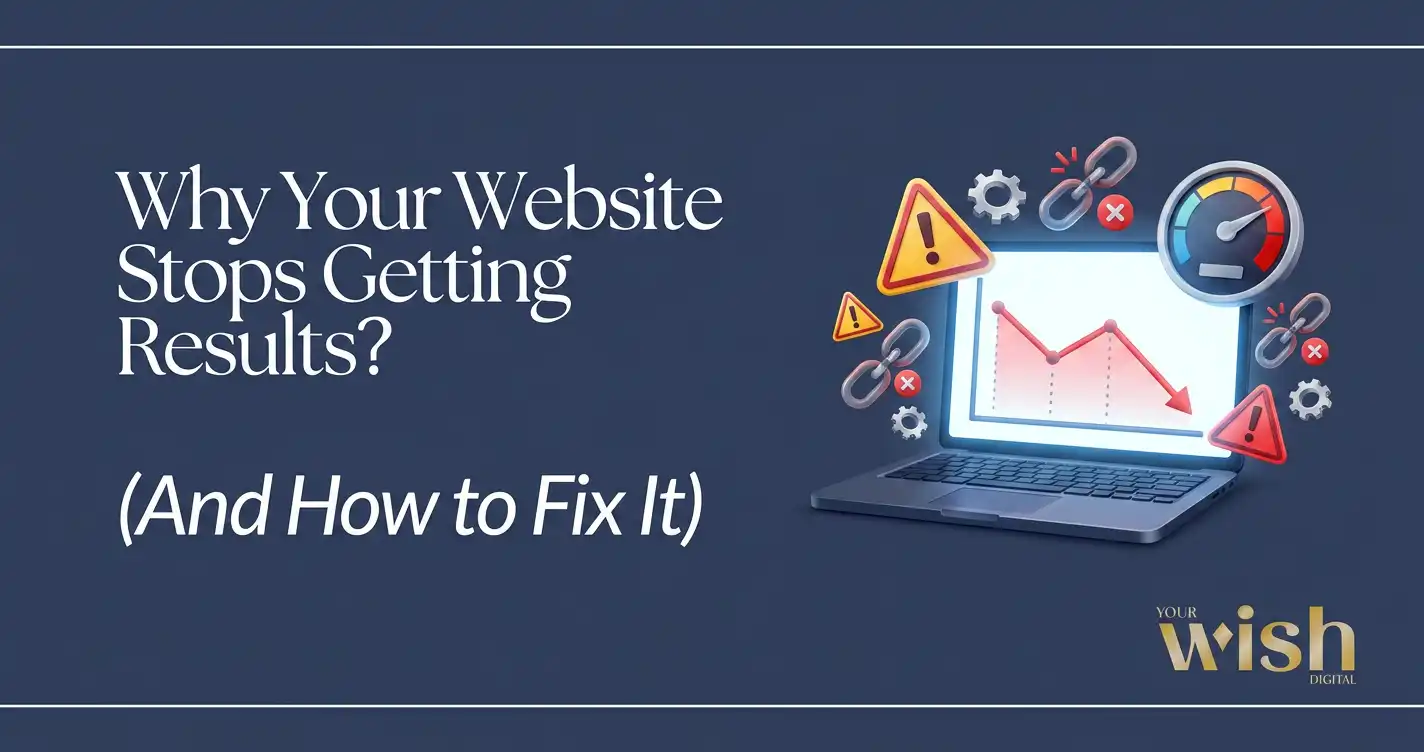
When a Website Stops Getting Results, the Problem Is Usually Hidden
The moment your website stops getting results is rarely dramatic. There’s no crash, no error page, no obvious sign that something is wrong. The site is still live. It still loads. It still looks the way it did when you launched it.
Every business owner I’ve spoken to whose website stops getting results describes it the same way — a slow fade, not a sudden crash. That’s exactly what makes it so easy to miss until it’s already cost you.
But when a website stops getting results, the signs are always the same — leads dry up, the contact form sits quiet, traffic comes and goes without converting. And somewhere along the way, the website that was supposed to work for your business quietly stopped doing its job.
This is the situation I deal with regularly — and in almost every case, the business owner has been troubleshooting the wrong thing. More ads. More social posts. A new offer. When the real answer was simpler and closer than any of that: the website itself needs to be fixed.
Let me show you exactly what’s happening, why it happens, and what actually fixes it.
What “Stops Getting Results” Really Looks Like
When a website stops getting results, it rarely looks broken from the outside. That’s exactly what makes it dangerous. But the symptoms are consistent enough that I can usually spot the root cause within the first ten minutes of looking at a site.
Your Site Is Slow
Speed is the most underestimated conversion killer in web performance.
88.5% of visitors say slow load times are the primary reason they leave a website. Not the design. Not the copy. The speed. A site that takes more than three seconds to load loses a significant portion of visitors before they read a single word — and a one-second delay in page load time can reduce conversions by up to 7%.
The reason most business owners don’t catch this: they visit their own site regularly, so it loads fast locally from cache. First-time visitors arrive cold, on different devices and varying connections, and experience something completely different.
Speed is one of the most common reasons a website stops getting results — and one of the most fixable once it’s properly diagnosed.
There’s No Clear Direction for Visitors
70% of small business websites have no clear call-to-action on the homepage — and this alone explains why a website stops getting results even when traffic is healthy.
When a visitor lands on your site and there’s no obvious next step — no clear direction, no compelling reason to reach out, no path from interest to contact — they leave. Not because they weren’t interested in what you offer. Because nobody told them what to do next.
Google Can’t Find You
75% of users never scroll past the first page of search results. If your site isn’t ranking for the terms your potential clients are actually searching, it doesn’t matter how well it’s designed.
A website with weak SEO foundations — no logical heading structure, poorly configured metadata, pages that aren’t indexed correctly, content with no keyword strategy behind it — is invisible in search regardless of how much work went into the visuals.
It Was Built to Launch, Not to Perform
This is the root cause I encounter most often when a website stops getting results shortly after launch or within the first year.
The site was built to a deadline. Get it live, get it approved, move on. So it launched carrying unaddressed technical debt — bloated plugins, uncompressed images, no caching setup, an SEO structure that was never properly finished.
It looked done. It wasn’t. And over time, that foundation shows. This is why a website stops getting results within the first six to twelve months.
Why Most Websites Stop Getting Results in the First Place
This part matters — because most business owners blame themselves when the real cause is something they were never told to watch for.
Some sites were built by designers who were excellent at visuals but had no understanding of performance or SEO. Some were built by developers who knew the code but didn’t think about user experience or conversion flow. Some were DIY-built on platforms that worked fine for year one but couldn’t support what the business became by year three.
And some were built by people who took the money, delivered something that looked finished, and disappeared — with no real investment in whether the site actually worked after handoff.
That last situation is more common than it should be. And it’s the direct reason Your Wish Digital exists the way it does. It’s also the most avoidable reason a website stops getting results — and the one I’m most motivated to fix when a client brings it to me.
What Fixing a Website That Stops Getting Results Actually Involves
When I work on an underperforming site, I’m not just refreshing the design or swapping out photos. I’m looking at the specific, diagnosable reasons the website stops getting results — and fixing them properly, not cosmetically.
Here’s what that work actually covers:
Performance and Speed
When a website stops getting results, PageSpeed score is the first thing I check — both mobile and desktop. Anything below 80 is actively affecting your search rankings and your conversion rate simultaneously.
The fix is never one thing. It’s a combination of compressing images uploaded at full resolution, configuring caching correctly, auditing and replacing plugins loading unnecessary scripts, deferring JavaScript that doesn’t need to run on page load, and making sure the hosting environment actually matches the site’s demands.
Every site has a different performance profile. That’s why a real diagnosis matters more than running a generic optimization checklist. If your site hasn’t had a proper maintenance routine, that’s likely part of the problem — here’s exactly what WordPress maintenance covers and why it matters.
SEO Architecture
A website that stops getting results in search almost always traces back to foundational SEO problems — not just missing keywords, but structural gaps.
Are pages indexed correctly? Is there a logical heading hierarchy — one H1 per page, H2s signaling main sections, content organized so search engines understand what each page is actually about? Is there a sitemap submitted to Google Search Console? Are there crawl errors sitting unaddressed in the background quietly limiting visibility?
These aren’t dramatic issues. They’re quiet ones. But they compound — and a site with weak SEO foundations fights an uphill battle no matter how strong the content is. A Website Growth Diagnostic will surface every one of these gaps clearly.
Conversion Flow and UI/UX
This is the one that surprises most business owners when I walk them through it.
Conversion isn’t just about having a contact form on the page. It’s about whether a first-time visitor — who knows nothing about you yet — can land on your site and logically move toward a decision. Can they understand what you do within the first few seconds? Do they know who you serve and what problem you solve? Is there a clear, compelling reason to reach out right now rather than click back and try someone else?
Websites that prioritize user experience achieve up to 400% higher visit-to-lead conversion rates than poorly designed ones. That’s not a marginal difference. That’s the gap between a site that generates business and one that looks professional while doing nothing.
This is why a website stops getting results even when the business behind it is genuinely excellent at what it does — the site isn’t translating quality into conversions.
Mobile Experience
More than half of all web traffic comes from mobile devices. 57% of users say they won’t recommend a business with a poorly designed mobile site.
If your mobile experience is breaking down — buttons too small to tap, text requiring pinch-to-zoom, sections collapsing incorrectly, forms difficult to complete on a phone — you’re losing more than half your potential audience before they ever make a decision.
I check mobile not just visually but functionally: how forms behave, how navigation works, how the page performs on a real mobile connection rather than a fast WiFi simulation.
Technical Health
This is the category that gets ignored until it becomes a crisis.
Broken links returning 404 errors. Missing image alt text hurting both accessibility and SEO. An expired SSL certificate showing browser security warnings to visitors. Google Search Console errors sitting unaddressed for months. Outdated plugins carrying known security vulnerabilities.
None of these are individually catastrophic. Together, they tell Google — and your visitors — that this site isn’t being maintained. A site that isn’t being maintained doesn’t earn the trust it needs to convert. This is precisely what a consistent WordPress maintenance plan is designed to prevent — before it becomes a crisis.
Affordable Doesn’t Mean Cheap — It Means Done Right
One of the most common things I hear from business owners who come to me after a disappointing experience elsewhere: “I went with the cheaper option and now I’m paying to fix it twice.”
I understand why budget matters, especially for small businesses. And I won’t pretend my pricing sits at the high end of the market — it doesn’t. I price my work to be genuinely accessible to the businesses that need it most.
But affordable and cheap are not the same thing.
Cheap is rushed. Cheap is templated. Cheap is someone building exactly what you asked for without stopping to ask whether what you asked for is actually right for your business. Cheap is what creates the problem we’re talking about — a site built to launch, not to perform, by someone who moved on the moment the invoice was paid.
Affordable — the way I approach it — means fair pricing for work that’s done right. Real strategy behind every decision. Real accountability for the outcome. No disappearing act after delivery.
You shouldn’t have to choose between a website that works and a website you can afford. That’s one of the core reasons Your Wish Digital exists the way it does.
What Makes Your Wish Digital Different
I’m not an agency. There’s no account manager relaying your messages, no junior developer interpreting the brief, no rotating team handling your project differently each week. I’m one person — and that’s a deliberate choice, not a limitation.
When you work with Your Wish Digital, you work with me directly. I’m the one reviewing your site, identifying the exact reason your website stops getting results, making the recommendations, and doing the work. There’s no disconnect between what you need and what gets built.
And I’ll say this plainly, not as a marketing line: I genuinely want your site to work. Not because it looks good in a portfolio screenshot — because your business grows or stalls partly based on whether this thing functions properly. That matters to me personally.
In practice, that means I’ll tell you when a full rebuild is overkill and a focused fix will solve your problem. It means I’ll tell you when what you’re asking for will actually hurt your results — honestly, not just to manage your expectations. It means I stay involved after launch, because that’s when real performance data comes in and meaningful adjustments get made.
I’m not here to take your money and move on. I’m here because I want to see your business succeed online — and I’m not interested in the engagement unless that outcome is what we’re both working toward. If you want to understand exactly what that looks like in practice, this article breaks it down honestly.
Frequently Asked Questions
How do I know if my website stops getting results because of the site itself?
The clearest sign that a website stops getting results due to the site itself is traffic without conversions — visitors are landing but not taking action. That’s a site problem, not a demand problem. If traffic is also dropping, the issue is likely SEO and visibility. A Website Growth Diagnostic gives you a definitive answer based on your actual site data rather than assumptions.
Can my website be fixed without a complete rebuild?
In many cases, yes. Specific, addressable problems — slow speed, broken conversion flows, weak SEO structure, poor mobile experience, missing trust signals — can often be resolved without starting from scratch. A full rebuild is sometimes the right answer, but it’s never my default recommendation. I’ll tell you honestly which situation your site is actually in before any work begins.
How much does it cost to fix a website that stops getting results?
It depends entirely on what’s causing the problem. Targeted fixes — performance optimization, SEO corrections, UX adjustments — are typically far less expensive than a full rebuild. The Website Growth Diagnostic at $500 identifies exactly what needs to be addressed and in what order, so you’re never spending money on fixes that won’t actually move the needle.
My website looks professional and modern. Why does it stop getting results?
Looking professional and performing well are two separate things. A site can appear polished while carrying serious problems underneath — slow load times, poor SEO architecture, a conversion flow with hidden friction, or a mobile experience that breaks down on the devices your visitors are actually using. Visual design is one piece of a working website. Performance, structure, and UX are the others.
How long does it take to fix an underperforming website?
Targeted fixes typically take one to three weeks depending on scope. A full rebuild takes longer. I’ll always give you a realistic timeline upfront — I’d rather set accurate expectations than overpromise and leave you waiting. What I won’t do is give you an optimistic estimate that sets the project up for disappointment from the start.
Does Your Wish Digital work on all website platforms?
WordPress is my primary platform — it’s what I build, maintain, and optimize most frequently. I also work with Shopify for e-commerce businesses. If you’re on a different platform, reach out and we can discuss whether I’m the right fit for what you need.
What’s the very first thing you look at when a website stops getting results?
PageSpeed score — every single time. It’s the fastest way to identify whether performance issues are contributing to the problem, and they almost always are to some degree. From there I look at SEO architecture, conversion flow, mobile experience, and technical health in that order. Each one informs the next.
Why should I trust Your Wish Digital with my website?
Because I don’t take on work I’m not confident I can meaningfully improve. I’m not running a volume operation. I work directly with a focused group of clients where results matter to me personally, not just professionally. If I genuinely don’t think I can help your situation, I’ll tell you that too. That honesty is the only way this works long-term.
How to Get Started with Your Wish Digital
If you’re not sure exactly why your website stops getting results, the right first move is the Website Growth Diagnostic ($500).
It’s a full, human-reviewed audit of your live site — performance, SEO architecture, UI/UX, conversion flow, accessibility, and technical health — with clear, prioritized recommendations in plain language. Not an automated scan. Not a vague report with no action items. A real assessment of your specific site by a real person who understands how all of these pieces connect to each other and to your business results.
You’ll walk away knowing:
- The specific, honest reason your website stops getting results in the first place
- Which issues are critical and which can wait
- What to fix first for the most immediate impact
- Whether you need targeted fixes or a more substantial rebuild
There’s no obligation to continue working together after the diagnostic. You keep everything regardless of what you decide.
If you already know something is wrong and you’re ready to fix it now, skip straight to the conversation. Tell me what you’re seeing, what you’ve tried, and what you need. I’ll give you an honest assessment and a clear path forward — no pitch, no pressure.